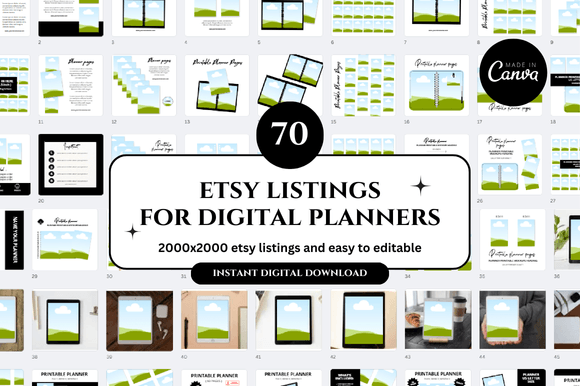
Effortless Etsy Branding: Mastering Canva Mockups
The Visual Strategy Behind Top-Selling Digital Shops
In the bustling world of digital commerce, specifically on platforms like Etsy, the quality of your product files matters, but the quality of your visual presentation determines whether a customer clicks "Add to Cart." For sellers of digital planners, journals, and printables, the challenge is unique: you are selling a non-tangible file. You cannot hold it up to a camera. You cannot photograph it in natural light on a rustic wooden table like a ceramic mug. This is exactly where the concept of the Digital Planner Etsy Canva Mockup becomes not just a design asset, but a fundamental business tool.
A mockup is essentially a digital template that allows you to overlay your product design onto a realistic setting. When we talk about a Digital Planner Etsy Canva Mockup, we are referring to a system of pre-designed scenes—often featuring iPads, printed booklets on desks, or floating pages—that are fully editable within Canva. The appeal of these templates lies in their ability to bridge the gap between a PDF file on your computer and a desirable lifestyle product in the customer's mind. It transforms a flat design into a three-dimensional experience, giving your brand a professional brand identity without the need for expensive photography equipment or complex software like Photoshop.
Characteristics of a High-Converting Mockup Template
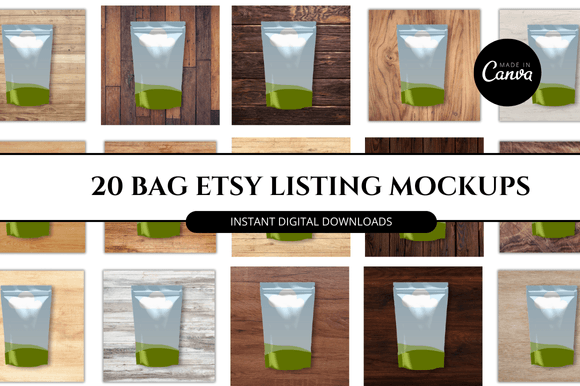
When evaluating a bundle of Etsy Canva Templates, you are looking for more than just a pretty picture; you are looking for versatility and cohesion. A high-quality set of mockups usually offers a variety of angles and contexts. You might find "hero" images for your main listing, detail shots for showing texture or paper quality, and lifestyle shots that set a mood—perhaps a cozy coffee shop setting for a student planner or a minimalist marble desk for a corporate organizer.
The "personality" of the mockup must align with the personality of your planner. If you are selling a whimsical, floral planner, a stark, industrial concrete mockup will create a disconnect in your brand identity. Therefore, these bundles often come in curated sets to ensure visual consistency. The visual characteristics should include high resolution (crucial for zooming in on Etsy), neutral backgrounds that don't compete with your design, and smart object layers or "placeholder" frames in Canva that make swapping in your design seamless. This ease of use is the primary selling point; it allows you to maintain a consistent aesthetic across all your Etsy Shop Covers and listings, which is vital for building brand recognition.
Practical Applications: Beyond the Etsy Listing
While the name implies a specific use case, the utility of these templates extends far beyond your main product gallery. As a digital seller, your visual assets need to work hard across multiple channels. Here is how you can leverage a comprehensive mockup bundle effectively:
- Social Media Marketing: The square and vertical mockups included in these bundles are perfect for Instagram Reels, TikTok backgrounds, and Pinterest pins. Instead of static text, you can animate the pages of the planner within the mockup to create engaging video content.
- Website Headers: If you graduate from Etsy to your own standalone website, you need high-quality banners. These Etsy Banner Templates can be repurposed for your site’s hero section, ensuring that your visual language remains consistent across platforms.
- Email Marketing: When launching a new collection, a clean mockup image is far more effective than a text-heavy email. It allows subscribers to visualize exactly what they are downloading.
- Cross-Promotion: If you collaborate with other creators, providing them with a professional mockup of your planner makes it easier for them to promote your work, as they don't have to create graphics from scratch.
Integrating Mockups into Your Design Workflow
The true power of the Digital Planner Etsy Canva Mockup system is the efficiency it brings to your workflow. Designing a planner is time-consuming; marketing it shouldn't take twice as long. By using these templates, you are essentially hiring a pre-set art director. You simply drag and drop your cover design or internal page spreads into the designated frames.
However, to truly stand out, you should treat these templates as a starting point. While the layout is provided, the context is yours to create. Consider adding your own text overlays, stickers, or branding elements to the scene. For example, if the mockup shows a desk, you can add a "Sale" sticker or a "New Arrival" tag in Canva to direct the viewer's eye. This approach maintains the professionalism of the mockup while adding a layer of unique marketing strategy. It ensures your listings look polished and trustworthy, which is a major factor in conversion rates on competitive marketplaces.
Choosing the Right Bundle for Your Niche
Not all Etsy Mockup Templates are created equal. When selecting a pack, consider the specific niche of your digital products. A seller focusing on digital planners for teachers will need different environments than a seller focusing on aesthetic vision boards for influencers. Look for bundles that offer variety in devices (iPads vs. printed booklets) and settings.
Furthermore, check the licensing. Most of these bundles are designed for commercial use, meaning you can use the final images to sell your products, but you generally cannot resell the mockup templates themselves to other designers. Always verify this to protect your business. By investing in a high-quality, customizable set of Canva Mockups, you are not just buying images; you are buying a scalable visual system that supports the growth of your digital shop, saves you hours of editing time, and ensures your products are presented in the best possible light.